 View Upcoming Digital Marketing, Media and Advertising Conferences & Exhibitions
 Phone:
Posts Tagged "Video commerce"



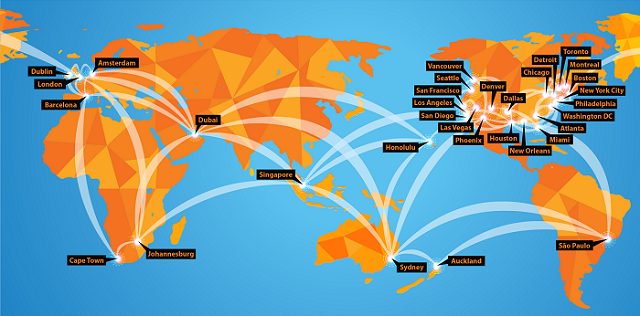
DigiMarCon is the Largest Digital Marketing, Media and Advertising Conference & Exhibition series in the world, with annual events held in all continents (North America, Latin America, Europe, UK, Asia Pacific, Middle East and Africa) in 13 countries (United States, Canada, Australia, New Zealand, United Kingdom, Ireland, Netherlands, Spain, Brazil, Singapore, India, United Arab Emirates and South Africa), across 33 cities (New York, Philadelphia, Boston, Toronto, Vancouver, Montreal, Houston, Dallas, Chicago, Los Angeles, San Francisco, Seattle, Washington DC, New Orleans, Atlanta, Detroit, Miami, Denver, San Diego, Phoenix, Las Vegas, Honolulu, London, Dublin, Amsterdam, Barcelona, Johannesburg, Cape Town, Dubai, Sydney, Auckland, Singapore and Sao Paulo). All DigiMarCon Events can be attended in-person or online. Wherever you are located there is a regional DigiMarCon event nearby you can attend.

DigiMarCon Conferences are held in top luxury 5-star event venues across the world such as; Royal Caribbean Cruise Ships, Olympic Stadiums, Marina Bay Sands Expo & Convention Centre and Wynn, JW Marriott, Marriott Marquis, Hyatt Regency, InterContinental, The Westin, Renaissance, Hilton, Conrad, W, Sheraton, Loews and Sofitel Hotel properties. Discount hotel room rates at each venue hotel means no hassle getting to and from the venue each day.

Building relationships matter! At DigiMarCon Conferences we have more networking breaks on our program than others. On average there are 8 Networking breaks at each event giving delegates ample opportunities in a relaxed atmosphere to meet others over the 2-days at the event; from 1-hour round table networking luncheons to 3-hour dinner receptions. These networking breaks are set in picturesque locations to facilitate memorable experiences while fostering new relationships. Such experiences include enjoying cocktails and the Sunset over the Pacific Ocean on a private Ocean Terrace in Santa Monica, to being on the Sydney Olympic Stadium playing arena at night enjoying cocktails under the lights, to dining at the 360 Revolving Restaurant at the top of the CN Tower in Toronto for a Dinner Reception, enjoying cocktails on a private promenade overlooking Times Square in New York City, or having fun at the Dazzles Night Club onboard the Royal Caribbean Oasis of the Seas for a Farewell Party, etc.
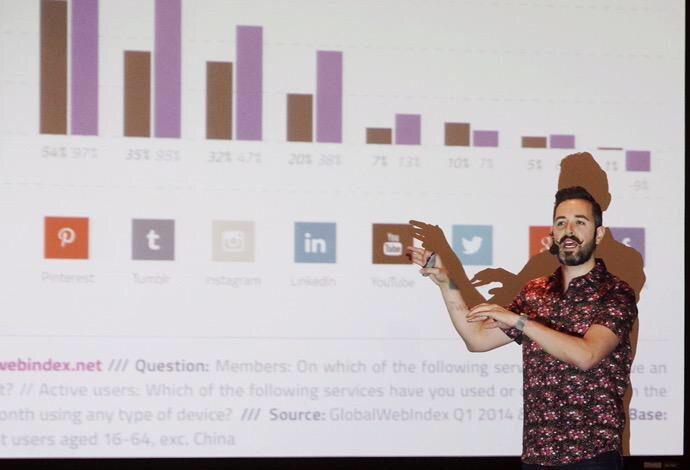
DigiMarCon Keynotes, Panels and Master Classes are facilitated by the foremost thought leaders in the industry, from celebrity social media influencers to CMO’s from the largest Fortune 500 company brands that are disrupting the digital marketing, media and advertising industry, such as Google, Facebook, Microsoft, Amazon, Oracle, Adobe, eBay, Netflix and more. All presentations are pitch-free, and include actionable takeaways, case studies, strategies and tactics, ready to be applied when back in the office.

At DigiMarCon Conferences you are never ‘left in the dark’…. literally, in a large room far away from the stage and speakers, crushed in tight theater seating, without even a table, while sitting in the dark. At DigiMarCon all delegates have premium meeting space in luxurious ballroom well-lit spaces, with comfortable seating with table enabling delegates to use their laptop to take notes with ample charging facilities onsite in a comfortable space to learn and thrive. All tables are situated close with direct view of the stage.

DigiMarCon Conferences are affordable to attend, from single-day event passes up to two-day VIP options at a fraction of the cost of other industry events. We offer significant discounts for early bird registrations. Additionally, on top of time-limited discount pass rates, because budgets are tight, we want to make sure all groups have a chance to attend DigiMarCon. For government employees, students, academic, startups, non-profit organizations and teams, we offer generous discounts off the prevailing registration price.

Attend DigiMarCon and you become part of the show! DigiMarCon Conferences tap into the talent of the room, drawing from the knowledge and experience of the professionals in the audience. All DigiMarCon events include regular interactive question and answer sessions with speakers and the audience ideal for collaboration, audience polls, along with ice-breaker and group exercises, steered by charismatic Emcees.

DigiMarCon Conferences put you right up and close with the speakers giving you the opportunity to meet these social media influencers which you follow in person. Speakers are never hidden in private speaker rooms away from the audience, they are in the auditorium sitting right beside you and participating.

Attending a conference is a well-researched decision. There are many factors to consider such as location, time, venue, cost, speakers, content, etc. At DigiMarCon our results-obsessed Customer Service team are at your service before, during and after the event to help with your needs. It’s at the core of what we do — it drives our business. Offsite, we are ready to assist you via phone, ticket or chat. Onsite at our Conferences, friendly DigiMarCon staff serve as your hosts. They welcome your input and are happy to assist you.
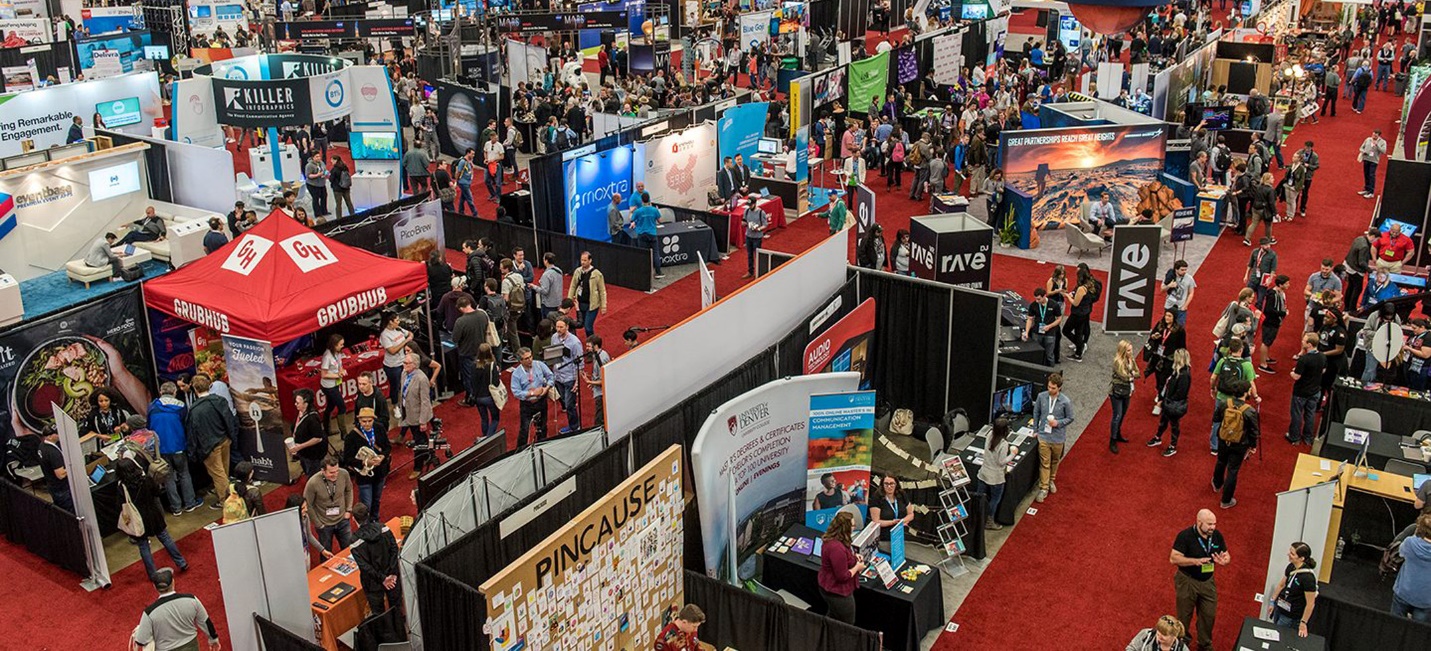
At all DigiMarCon Conferences is the co-located exclusive event TECHSPO Technology Expo, which showcases the new generation of technology and innovation, including; AdTech, MarTech, Internet, Mobile and SaaS technologies. Be inspired, amazed and educated on how these evolving technologies will impact your business for the better. Unlimited Access to TECHSPO Technology Expo is included with all DigiMarCon passes.
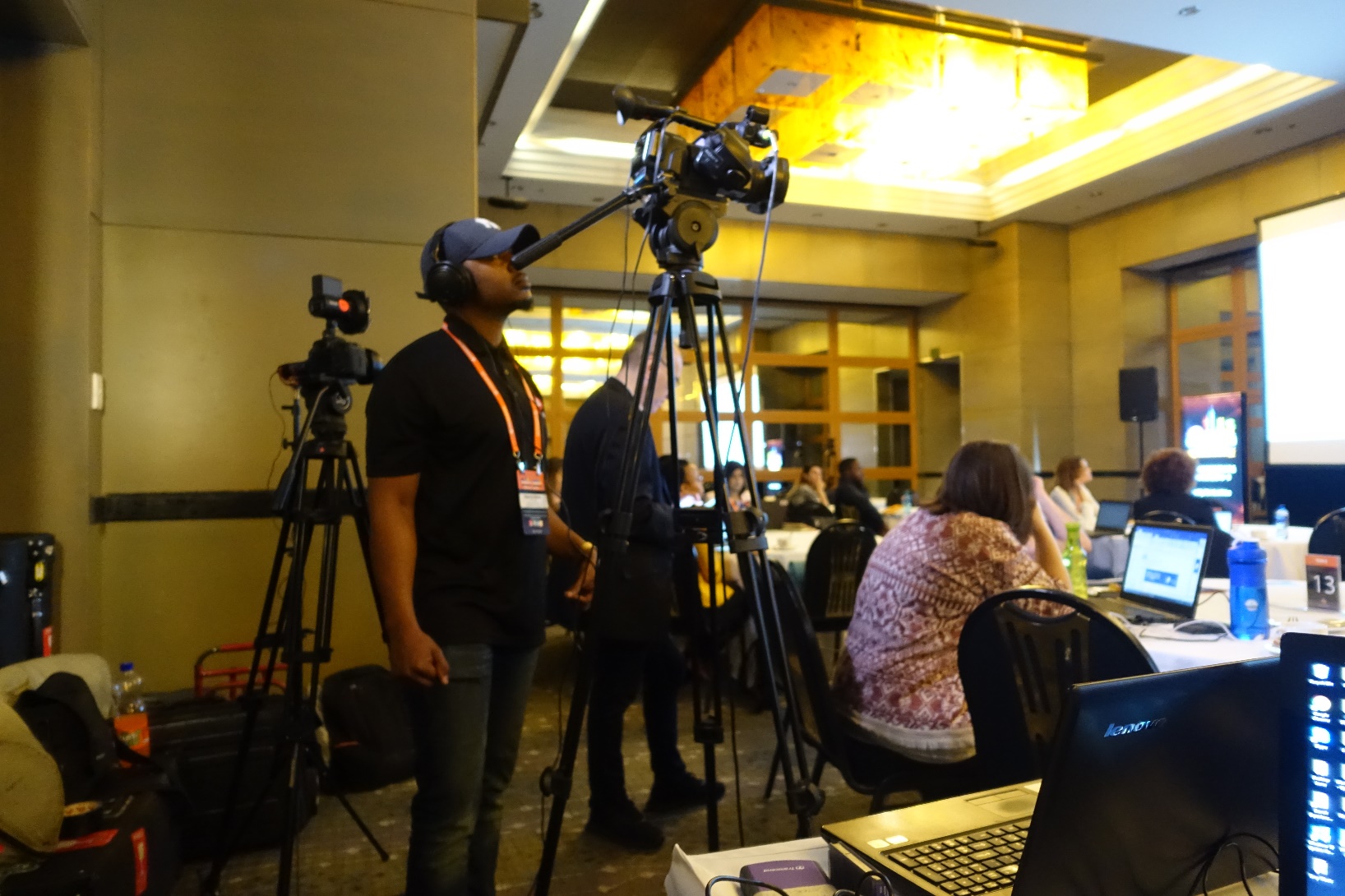
DigiMarCon All Access & VIP Passes include a 12-month on demand access to hundreds of hours of DigiMarCon speaker keynotes, panels and master class presentations from recent DigiMarCon Conferences, including videos, slide decks and key takeaways, available on demand so you can watch what you want, when you want.

Attendees of DigiMarcon Conferences gain membership to an exclusive global Digital Marketing, Media and Advertising Community of over 500,000 worldwide subscribers to our award-winning digital marketing blog and over 100,000 members to the International Association of Digital Marketing Professionals (visit https://iadmp.org). This global community comprises of innovators, senior marketers and branders, entrepreneurs, digital executives and professionals, web & mobile strategists, designers and web project managers, business leaders, business developers, agency executives and their teams and anyone else who operates in the digital community who leverage digital, mobile, and social media marketing. We provide updates to the latest whitepapers and industry reports to keep you updated on trends, innovation and best practice digital marketing.

The events industry has forever changed in a world affected by COVID-19. The health and safety of our guests, staff and community is our highest priority and paramount. The team at DigiMarCon is dedicated to ensuring a great experience at our in-person events, and that includes providing a safe, clean and hygienic environment for our delegates. Some of the key areas we have implemented safe and hygienic measures include;
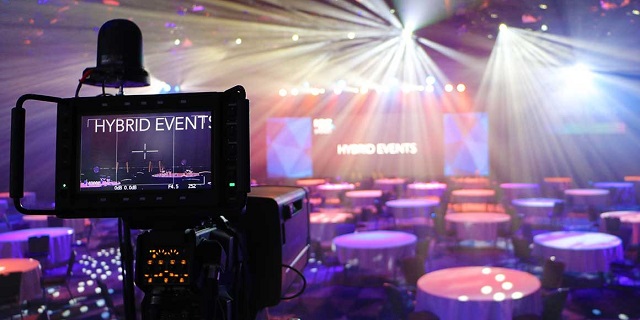
DigiMarCon has always been industry leaders of the Hybrid Event experience for years (a hybrid event combines a "live" in-person event with a "virtual" online component), no one needs to miss out on attending our events. Each DigiMarCon Conference can be attended in-person (with a Main Conference, All Access or VIP Pass) or online (with a Virtual Pass) giving attendees a choice for the experience they want to have. Attending virtually by viewing a Live Stream or On Demand enables participation by people who might be unable to attend physically due to travel or time zone constraints or through a wish to reduce the carbon footprint of the event. If you would like to meet the speakers, network with fellow marketing professionals at refreshment breaks, luncheons and evening receptions, check out the latest Internet, Mobile, AdTech, MarTech and SaaS technologies providers exhibiting then it is highly recommended to attend DigiMarCon in-person. As the largest Digital Marketing, Media and Advertising Conference series with events in 33 international cities worldwide, across 13 countries, there is bound to be a DigiMarCon Event near you to attend in-person if you can.
DigiMarCon Conference Series is the annual gathering of the most powerful brands and senior agency executives in your region. The Sharpest Minds And The Most Influential Decision Makers - Together for Two Days.
Who Attends Our Conferences
Brands • Agencies • Solution & Service Providers • Media Owners • Publishers • Entrepreneurs • Start-Ups • Investors • Government • Corporates • Institutes of Higher Learning




People Are Buying Straight From Videos Now. Here’s What That Means for Your Brand
A shopper sees a product in a video, wants it, and faces a choice between tapping to shop or searching for it later. Social Commerce and Shoppable Video can shorten that gap, bringing product details and buying options closer to the moment of interest.
For brands, that shift changes how customers move from discovery to a decision. Instead of watching content, leaving the social platform, and trying to find the same item, shoppers may be able to follow a direct route to the store. The exact path depends on the channel and its shopping features.
Your audience, products, and existing ecommerce setup should guide the approach. A brand with reliable product data and a clear store journey has a different starting point from a team still fixing its product pages. This article explains the experience and offers a practical way to decide where to begin.
How Social Commerce and Shoppable Video Shorten the Path to Purchase
A shoppable video gives a viewer an interactive route from a product demonstration to product details or a purchase. In social commerce, people can discover products, learn about them, and sometimes check out without leaving the social platform.
A product tag is a clickable label connected to a specific item, so viewers can open its details or shopping destination. That makes the route more direct than a standard video that simply mentions a product.
What makes a video shoppable
A regular product video may include a link in its caption or profile. The video itself does not respond to a viewer’s interest, so the shopper must find and tap that separate link.
A shoppable video has interactive features built into the viewing experience. Clickable hotspots, product cards, and overlays with add-to-cart buttons can connect a visible item to its product page.
Some social commerce setups also use comment-to-buy mechanics. A shopper may comment on a post to start a purchase process, depending on the tools and rules available to that account.
These options help viewers move from seeing a product in use to finding its price, details, or purchase link. They do not make every video a store, and each feature depends on the platform’s setup.
Where checkout happens
In some cases, product discovery, details, and checkout all happen within one continuous viewing session. The viewer can keep watching while opening product information or completing an in-app order.
“Buy directly” does not always mean checkout stays inside the social app. A tap may send viewers to an external ecommerce page, where the brand handles checkout through its own store.
Checkout options depend on the social platform, the brand’s account, and its store setup. A link might open a product page instead of a cart, so the shopper still needs to take another step.
That difference matters when you plan the purchase path. A video can catch attention, but the product page and checkout still need to work well on a phone.
Once the basic journey is clear, move to the formats brands can use to create it.
Which Shoppable Video Formats Can Your Brand Use?
A brand can choose a live event, a short social post, or an interactive video on its own site, depending on the job the content needs to do. The best format gives the audience a useful way to learn or act.
Choose a format for the buying task, not just because a platform supports it. A quick discovery clip and a detailed product lesson call for different kinds of video.
Live shopping and comment selling
Live shopping is a hosted, real-time product presentation with ways to purchase. A host can demonstrate products, answer questions as they arrive, and point viewers to immediate buying options.
Comment selling connects a social post to a buying action through comments. It can suit a brand whose customers already ask about items beneath its social media posts.
These formats rely on different kinds of interaction. A live event gives the host a chance to respond in real time, while a social post can keep attracting viewers after publishing.
Social posts and TikTok product tags
Short-form social video can help shoppers discover a product through a tip, demonstration, or familiar use case. On TikTok, make the video mobile-first and show the product clearly in use.
Use the product-tagging or TikTok Shop feature available to your account. Check account eligibility, product availability, and the destination shoppers reach, since features and rules can vary.
TikTok’s requirements may differ by account and region, and platform features can change. Avoid relying on a fixed set of app steps; use the options currently shown for your account.
A clear social video can show why a product matters before a shopper opens its details. Keep the demonstration focused on one item or question, rather than trying to cover every feature.
Onsite videos and shoppable replays
Onsite shoppable video is interactive video placed on a brand’s ecommerce site. It can appear on product detail pages, category pages, landing pages, or a homepage.
These placements let visitors explore products while they browse the store. For example, a product page video can show how a bag sits on a person, while its details remain nearby.
A recorded live show can also stay interactive as a replay. Keep its product links active and relevant, so later viewers can still reach the items shown.
With the formats in view, assess which ones suit the audience and product before choosing tools.
What Business Results Can Video Shopping Support?
A video can answer a shopper’s practical question before that uncertainty becomes a reason to leave. A useful demonstration can show how a product works in ways that a still image may not.
Video can support clearer decisions, but no format promises a specific return or conversion lift. The value depends on what the shopper needs to know and how well the content answers it.
More confident purchase decisions
A video can help shoppers judge fit, size, movement, scale, texture, and function. A jacket moving on a person, for example, may tell a shopper more than a flat product image.
A close view of a fabric can show its texture, while a familiar setting can help show scale. A product demonstration may also reveal how an item opens, folds, or works.
When shoppers know what to expect, they may be less likely to choose an item that does not match their needs. That can help reduce avoidable mismatches, though video cannot remove every reason for a return.
Some products gain little from a visual demonstration. A video also cannot fix inaccurate product information, such as the wrong size chart or a missing material detail.
Stronger engagement and useful insights
Viewers can respond to content by asking questions, clicking on products, or adding items to a cart. Those actions can show which details draw interest and where shoppers need more help.
Watch duration and drop-off can point to moments when viewers lose interest or leave. Product clicks and add-to-cart behavior can show whether the content moves people toward considering an item.
These signals can guide changes to both content and merchandising. If viewers click a product but do not add it to their carts, review the product page and its information.
Questions can also highlight missing details. If shoppers keep asking about a pan’s size or cleaning needs, you can make those facts easier to find.
Those potential benefits matter most when the format matches the audience, product, and buying context.
When Does Video Shopping Fit Your Audience and Products?
A cookware demonstration can show how a pan handles heat in a way a product title alone cannot. Video is a stronger choice when shoppers need to see an item in use, compare options, judge scale, or ask questions.
Use video when seeing the product can answer a real buying question. Consider whether your customers already watch or engage with your social media content.
A video may help when shoppers cannot easily picture how a product fits their routine. A lamp’s size beside a chair or a bag’s capacity during packing can make the choice easier to understand.
Think about the team’s ability to publish on a regular basis or support live interaction. A one-time video may not serve customers as well as a steady source of useful product content.
A static product page may be the better first priority when shoppers mainly need precise specifications. The same is true if your audience does not use the channel you plan to choose.
Do not send shoppers into a video-led path if your team cannot keep product data accurate. Outdated details can create confusion, even when the demonstration looks clear.
Consider the buying context, too. A customer choosing a product based on exact measurements may need a clear chart before an engaging video.
After deciding where video can help, choose tools that connect the viewing experience to the store’s existing operations.
How Do You Choose Social and E-Commerce Platforms?
An ecommerce platform runs the store, while a social platform gives customers another place to discover products and content. Each has a different job in the shopping experience.
Choose tools that keep product details, stock, checkout, and orders in sync. A good-looking video cannot make up for a broken path to purchase.
Match the channel to the customer journey
An ecommerce platform is the system that manages an online store, its products, checkout, and orders. Shopify, WooCommerce, Adobe Commerce, BigCommerce, Centra, Shopware, and Salesforce Commerce Cloud are examples.
TikTok, Instagram, Facebook, and YouTube are social platforms. They can help people discover content and products, with shopping features that depend on each platform and account.
Platforms like Facebook and Instagram may fit brands whose customers already follow their content there. A channel should suit the audience’s habits, not just the team’s preferred tools.
Consider where a viewer will go after tapping a product. A social feature may keep the shopper in the app, or it may send them to product pages on your store.
Check store, checkout, and operations integrations
Check whether product catalogs and inventory stay in sync across the tools. Confirm whether shoppers can use your existing checkout where possible, and test product tagging on a phone.
Also check analytics, fulfilment steps, customer support, and the store’s mobile performance. A smooth video experience still needs a clear route for shipping, questions, and order updates.
Marketing and analytics tools may include Klaviyo, HubSpot, Google Analytics, Meta Pixel, and Google Tag Manager. These are examples, not a promise that every feature works on every plan.
Confirm which connections your chosen plan supports and what data each one passes. A team needs to know whether product clicks and orders appear in the tools it uses.
Stale inventory can send shoppers to an item that is no longer available. Mismatched product variants can also send someone to the wrong size or color after a video click.
Once the channel and store connection are sound, focus on the content that earns attention and answers buying questions.
What Makes a Shoppable Video Worth Watching?
A short demonstration of a product solving a recognizable problem gives viewers a reason to keep watching. Start with the item or the shopper’s problem, then show what happens in real use.
Let the demonstration answer one buying question instead of reciting a list of features. A polished look matters less than a clear view of the product doing its job.
Demonstrate the product clearly
Show the parts that are hard to judge from a product page. Close-ups can reveal texture, while a familiar room or person can help viewers understand scale and fit.
Movement can explain how a jacket hangs or how a folding chair works. For a kitchen tool, show the steps a customer would take to use and clean it.
Keep product interactions easy to notice but unobtrusive. A tag or card should not cover the part of the demonstration viewers need to see.
Make sure each depicted item links to the correct product variant. A video showing a blue bag should not send viewers to a page that defaults to a different color.
Keep the experience mobile-first and credible
Many viewers watch social content on a phone, so frame important details for a small screen. Use readable captions, clear audio, and vertical framing when the channel suits it.
Captions help viewers follow along when they cannot turn on sound. Clear audio still matters, especially when a host explains a product or answers a question.
Customer and creator footage can add an everyday point of view. User-generated content (UGC) means content made by customers and other creators outside the brand.
Use that material with care. Get permission before republishing creator or customer content, and make sure the item shown matches its linked product.
Do not assume every clip needs the same length. Give the demonstration enough time to answer the question, then remove moments that do not help viewers decide.
Strong recorded content can also support a live event, where the host’s ability to respond becomes central.
How Can You Run Live Shopping That Builds Trust?
A live event feels like a conversation when the host has a clear plan but leaves room for viewer questions. Good preparation helps the host stay useful without making the show feel scripted.
Plan the key points, then leave time to respond to the people watching. A live shopping show works best when viewers can get clear answers about the products.
Plan a flexible show and responsive moderation
Build a run of show with a product order, demonstrations, audience prompts, and time for questions. The plan gives the host a path through the event without forcing every moment into a script.
Start with a product viewers can understand quickly, then move to details that need more explanation. Invite people to ask about size, materials, use, or care.
The host should give clear product information and acknowledge comments as they come in. If a question needs a longer answer, pause instead of rushing to the next item.
Active chats can be hard for one person to manage while demonstrating products. A moderator can help surface questions, share links, and flag comments that need a careful response.
Be honest when you do not know an answer. Tell viewers where they can find the detail rather than guessing about a product’s size or availability.
Make urgency genuine and extend the replay
A limited-time offer or launch can give shoppers a real reason to act now. State the terms clearly, and do not invent scarcity or imply that stock will run out without a basis.
Keep the purchase details easy to follow during the show. Viewers should know which item is being discussed and where its current product information appears.
A recorded event can remain an interactive replay, or the team can adapt it into product clips, onsite content, and email content. Choose moments that still make sense outside the live conversation.
Check that replay links and product availability remain current. A clip that points to an expired offer or unavailable product can frustrate a shopper.
Keep useful answers in the replay when they help later viewers. Remove or update details that no longer apply, including old price claims or expired promotion terms.
A reliable show needs a repeatable way to judge whether the content and the shopping experience are working.
Which Metrics Show Whether Shoppable Video Sells?
A high view count can look impressive while revealing little about whether viewers considered or bought the product. Track the whole path, from attention to orders and post-purchase results.
Views alone do not establish revenue impact. Compare attention, shopping intent, and sales measures to see where a video helps or loses shoppers.
Track the path from viewing to purchase
View-through rate shows how many viewers watch through a chosen point in the video. Product click-through rate tracks how often viewers click product links or tags.
Add-to-cart rate shows whether viewers take a closer step toward buying. Conversion rate connects visits or interactions to completed orders, based on the definition your team uses.
Revenue per viewer helps relate sales to the number of people who watched. For paid placements, return on ad spend compares ad revenue with ad costs.
Also examine post-purchase return rate for signs that the video set the wrong expectations. Returns may point to a mismatch between what viewers saw and what arrived.
Use results to improve the next video
Compare results by video, placement, and product. A product clip on a detail page may perform differently from the same content in a social campaign.
Change one element at a time, such as the opening, demonstration, product tag placement, or call to action. That makes it easier to see what affected the results.
Check how your analytics tools define views, clicks, conversions, and revenue. Confirm attribution rules across tools before comparing their numbers.
A view may count at a different point in one tool than another. Keep the same definitions when you compare campaigns or decide whether a video changed buying behavior.
Once measurement is set up, start with a contained pilot that the team can learn from and support.
How Should You Start a Shoppable Video Program?
A focused pilot can test the shopping journey without requiring a brand to launch every format at once. Choose one product or category that needs a clear demonstration.
Pair that product with one suitable channel and a small set of success measures. A recorded product video can be a simpler first test than a live event.
Before publishing, check product data, inventory, permissions, checkout, and fulfilment. The video should lead to an item shoppers can buy, with details that match what they saw.
You do not need a live host if your team lacks someone to present or moderate. A recorded demonstration lets you test the product path without managing a real-time chat.
After the pilot, review viewer questions and the results along the buying path. Use what shoppers asked and did to decide what to change before expanding.
Leave the reader with a clear next step: select one product and map its path from demonstration to completed order.
Conclusion
Buying from a video works best when the content answers a real shopper need and the next step is clear. Social commerce and shoppable video should support a decision, not add another stop between interest and checkout.
A small, measured test is more useful than adopting a format without an audience or operating plan. Start with a product that benefits from visual explanation and a route to purchase your team can support.
Give one concrete next step: choose a product, create one useful demonstration, and verify its product link and checkout before sharing it.